For coaches, advisors and agencies
Your clients’ numbers, explained before you walk in.
Focus on Cash turns each client’s Profit and Loss and Balance Sheet into plain-English analysis. You open it and the work is done, so the session goes on what they do next.
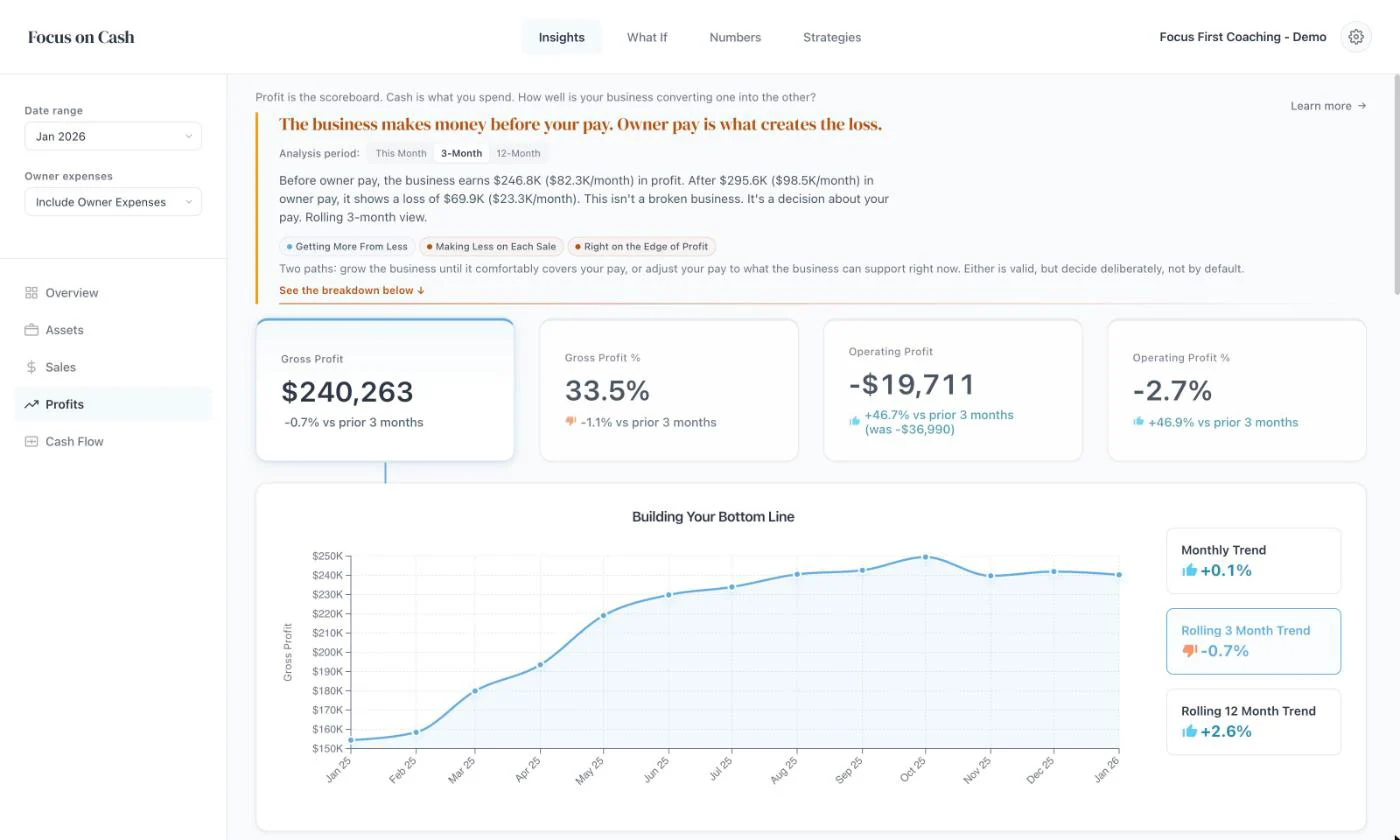
What it replaces
Stop rebuilding the spreadsheet every quarter.
Most advisors still export from Xero, sort the accounts and build the charts by hand, or pay someone to do it and wait for the pack. Then they do it again next quarter.
- Connect a client’s Xero once, or upload their Profit and Loss and Balance Sheet.
- Sort their accounts once. Every later upload or sync uses your choices.
- Every client gets the same analysis, worked out the same way.
- When their numbers change, nothing needs rebuilding.
In the session
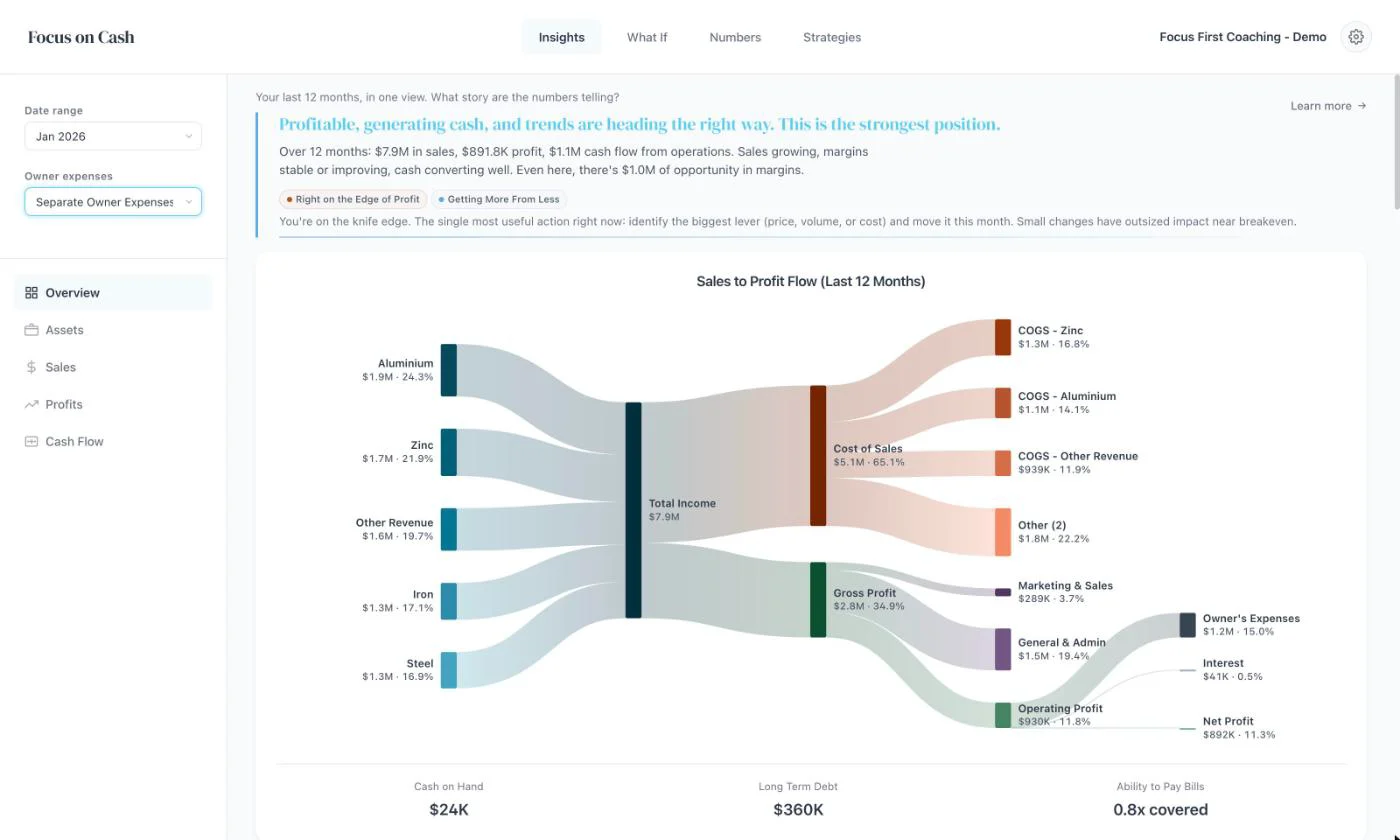
Show the owner the business underneath their pay.
Many owners run their car, phone and family costs through the business, then wonder why it looks like it loses money.
One switch takes those costs out. The conversation moves from “we’re not making money” to what the business can afford to pay them.
Decisions
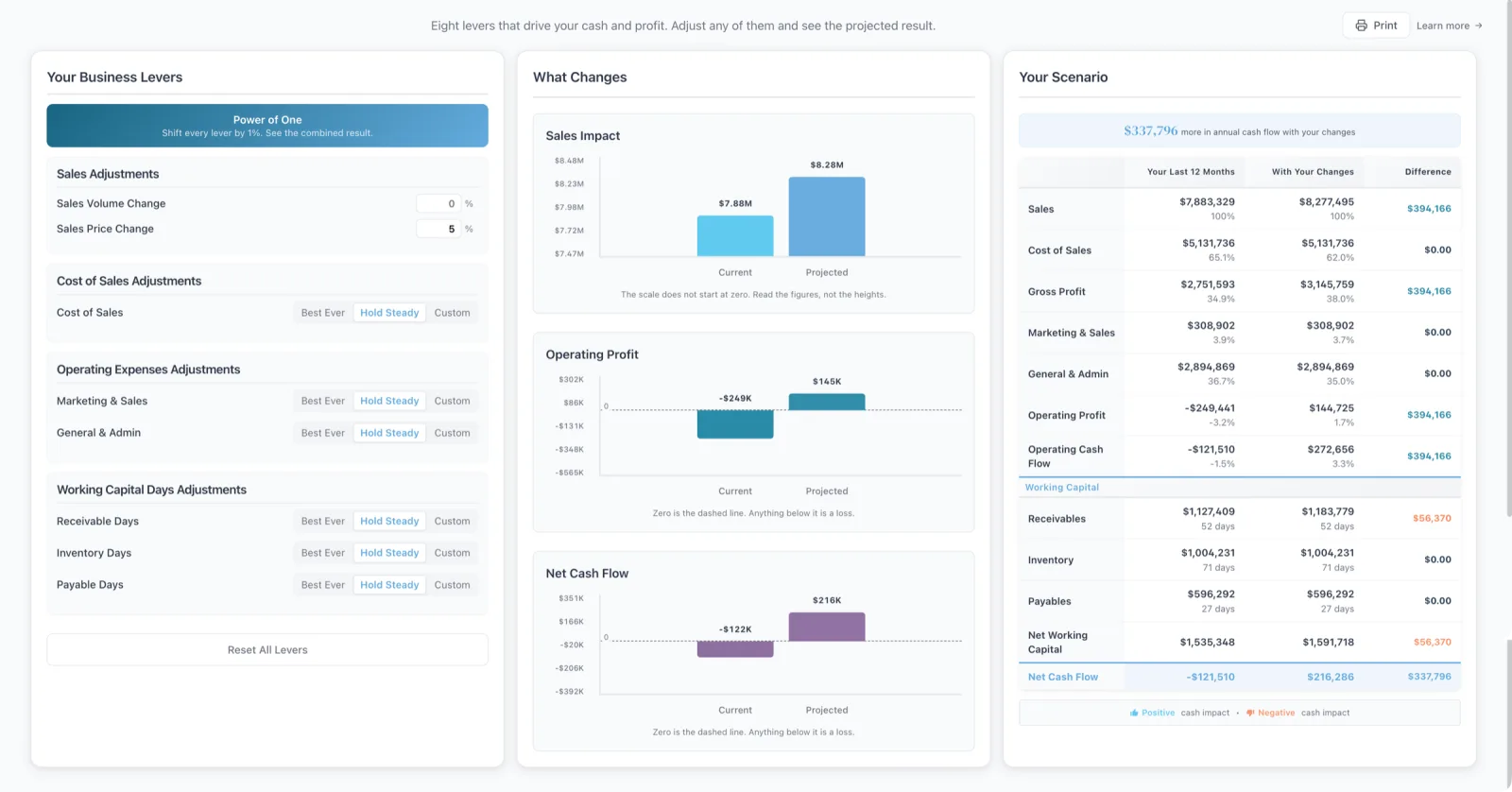
Test the decision with your client watching.
Change price, sales volume, costs or how fast customers pay, and watch profit and cash move. Your client sees the effect before they commit to anything.
Their customers
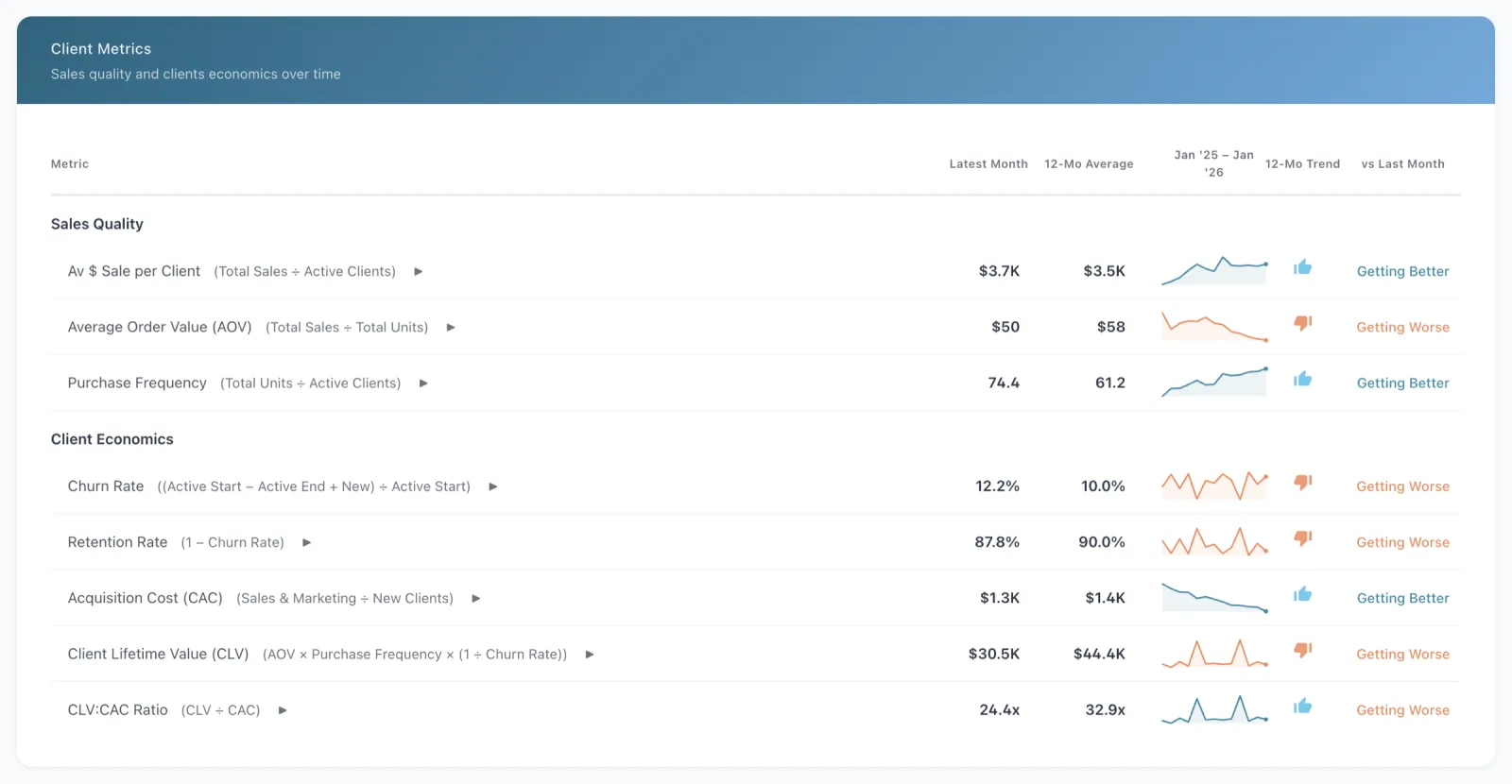
Go past the profit line.
Average sale, how often customers buy, churn, acquisition cost and lifetime value, each with a 12 month trend. These are the numbers a sales conversation needs.
Built for a client list
Run your whole practice from one place.
Portfolio Health
Every client on one screen, marked Needs attention, Watch or Healthy, with sales, net margin, cash and runway.
Priorities
Goals, action items and notes for each client. Goals show as target lines on the sales, profit and cash flow charts.
Clients see their own numbers
Invite each client in. Each company has access for 2 people, and they see only their own business.
Agencies and team advisors
Add team advisors. Choose whether they see every client or only theirs, and whether they can add their own.
Your own business too
Add your own business alongside your clients. It doesn’t use a client place.
Every feature, every client
Nothing to unlock per client. Each client’s data is kept separate, with access by role.
Pricing
One price for your client list.
You pay one price for your client list, not a price per client. Choose the band that fits the size of your list.
- $2,400 a year for up to 10 client companies
- $4,800 a year for unlimited client companies
- Billed annually. Every feature included.
See it first
See how it fits your sessions.
Mandy Walker, the founder, will walk you through the platform as an advisor and answer your questions.
No mail app? Email [email protected]